Why Free Editing Tools Are Better Than You Think
When it comes to video editing, one common assumption still lingers: if it’s not expensive, it’s not effective. In reality, many modern free video editing tools rival their paid counterparts and in some cases, outperform them.
Breaking the Myth: Price Doesn’t Equal Quality
High cost doesn’t always mean high results. Today’s free software includes advanced features once reserved for professional studios:
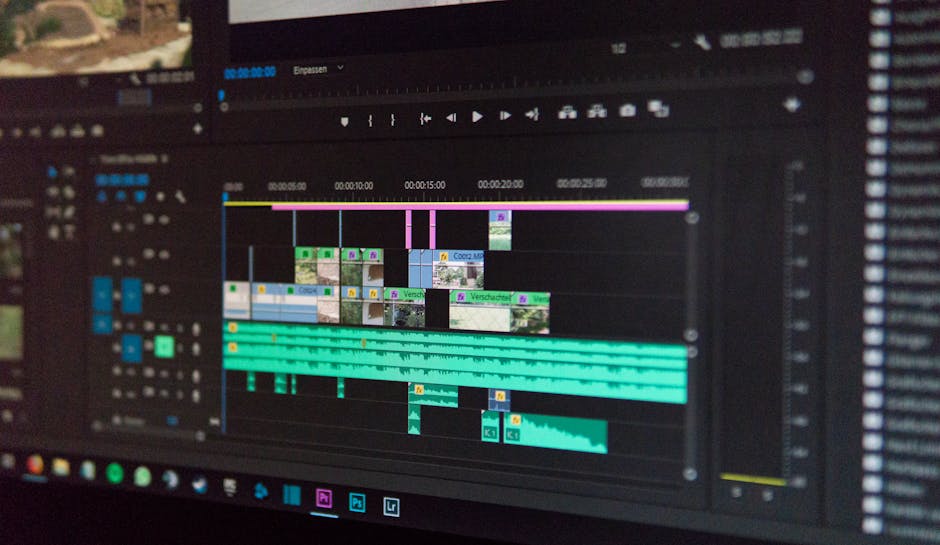
Multi track timelines
4K export options
Color grading features
Audio syncing and keyframing
These tools are more than capable of delivering content that looks polished and professional.
What Free Tools Can Really Do
The key to free tools isn’t just that they’re accessible it’s that they’re powerful. With the right software, you can:
Create cinematic transitions and dynamic cuts
Add motion graphics and layered effects
Sync music, captions, and visuals
Export for multiple platforms like YouTube, TikTok, and Instagram
Many of these apps are constantly updated, offering new features to match trends in creator needs and platform standards.
Who Stands to Benefit the Most?
Free video editing tools are perfect for anyone looking to up their content game without breaking the bank. This includes:
Beginners: Learn editing basics without a financial commitment
Freelancers: Keep overhead low while still delivering high quality work
Side Hustlers & Content Creators: Produce scroll stopping content on a budget
The best tool is the one that fits your skills and goals and today, free options are well worth exploring.
CapCut
CapCut is built with the modern creator in mind fast, flexible, and ready to go when you are. Whether you’re editing on the train or between shoots, its mobile and desktop versions sync seamlessly, letting you cut clips, stack effects, and share in minutes.
What sets CapCut apart is its built in creative arsenal. You get access to filters, stickers, captions, transitions, and a library of trending soundtracks all included, no extra charges. This makes it perfect for TikTok, Instagram Reels, YouTube Shorts, and any other platform that thrives on sharp, eye catching content with viral potential.
If you’re into fast content loops, punchy edits, or social ready formats, CapCut lets you skip the heavy software grind and jump straight into creation. It’s not about complexity it’s about getting things done without friction.
Pro Workflow Tips Using Free Tools

Even with free software, a solid workflow makes all the difference. One smart move? Mix and match tools. Do your main edits in something powerful like DaVinci Resolve, then jump over to CapCut or Clipchamp to add overlays, captions, or platform specific polish. Each tool’s strength fills the gaps of the others.
Before you even hit record, think about how each shot will cut together. Plan transitions, angles, and pacing in advance it’ll save hours later. If you’re using a script or storyboard, keep edits in mind: leave natural pauses for cuts and leave space for on screen text if needed.
Finally, lean on pre designed elements. Templates, lower thirds, intros many tools offer them for free, and they seriously cut your edit time. Custom is great, but ready made saves your sanity.
Need great visuals too? Check out these graphic design tools
Create Videos People Want to Watch
Creating high quality videos doesn’t stop at editing it’s also about style, pacing, and format. Today’s viewers expect engaging, tightly edited content that feels tailor made for their favorite platforms. Here’s what that means for your workflow:
Visual Editing Trends to Embrace
To grab attention and keep viewers watching, you’ll want to embrace modern editing techniques:
Jump Cuts: Speed up your edits by cutting out pauses or filler. This keeps the pace fast and attention locked in.
Text Overlays: Add captions not just for accessibility, but also to highlight key moments, quotes, or calls to action.
Fast Paced Sequences: Use quick transitions and snappy timing to match the energy of popular social content.
These trends are particularly effective on platforms where users scroll quickly if your video doesn’t engage in the first few seconds, it’s gone.
Sound Is Half the Experience
Audio can make or break your video. Whether it’s background music or sound effects, the right sound adds emotion, urgency, or clarity.
Top Free Music Resources to Explore:
YouTube Audio Library Royalty free tracks and sound effects
Epidemic Sound (free trial) Great for temporary access to premium music
Pixabay Music Licensing free music for personal and commercial projects
Make sure whatever you use is cleared for your type of content no one wants a copyright strike mid growth.
Format for the Platform
Don’t forget: different platforms have different ideal video dimensions. A great video in the wrong format won’t perform.
Recommended Aspect Ratios:
TikTok & Instagram Reels: 9:16 (vertical)
YouTube Shorts: 9:16 (vertical)
Traditional YouTube videos: 16:9 (horizontal)
Creating platform native content helps ensure your videos look clean and professional without awkward cropping or black bars.
Now that you understand the style and specs modern videos demand, you can match your edits to your audience’s expectations and the platforms they love.
Wrapping It All Together
When it comes to impressive video content, you don’t need a massive budget or a premium subscription. With a smart approach and the right free tools, it’s more than possible to produce videos that compete with pro level work.
Free Tools + Strategy = High Quality Results
The real magic lies not just in the tools themselves, but in how you use them. Free editors like DaVinci Resolve or CapCut give you enough flexibility to achieve expert level results, especially when combined with a thoughtful workflow.
Try this approach:
Use CapCut or Clipchamp for fast edits and social media formats
Polish cinematic footage in DaVinci Resolve
Add layered effects or animation with HitFilm Express
Budget Shouldn’t Limit Creativity
Don’t let free mean less. Today’s tools are powerful enough for:
YouTube videos
Brand promos
Tutorials
Short form social content
Creativity isn’t about expensive software it’s about problem solving within your means.
Keys to Consistent Growth
To get noticed and stay relevant, focus on consistent progress and adaptability.
Be consistent: Upload on a schedule your audience can rely on
Experiment often: Test new transitions, formats, or storytelling techniques
Track what works: Use platform analytics to refine your editing style and content themes
Ultimately, the best creators map strategy to storytelling and that’s where free tools shine.
(Amp up your visuals even more using these graphic design tools)